The Ultimate B2B Sales Tools Guide: Build a Lean, Connected Stack for Faster Revenue
Most SaaS teams use too many B2B Sales Tools that don’t work well together. This slows down deals and delays cash collection. This guide shows which B2B Sales Tools matter most at each stage of the sales lifecycle. It covers top tool options for every stage, so you can choose what fits your organization best. Later, it also explains how Ratio connects your stack and replaces extra tools. The result is faster closes, smoother workflows, and stronger revenue performance.


Table of contents

Most SaaS teams use too many B2B Sales Tools that don’t work well together. This slows down deals and delays cash collection. This guide shows which B2B Sales Tools matter most at each stage of the sales lifecycle. It covers top tool options for every stage, so you can choose what fits your organization best. Later, it also explains how Ratio connects your stack and replaces extra tools. The result is faster closes, smoother workflows, and stronger revenue performance.
The Challenge: You're Ready to Invest in Sales Tools. But Which Ones Actually Drive Revenue?
If you're here, you're likely building or upgrading your sales stack. You’re evaluating tools for prospecting, quoting, billing, and collections.
But most SaaS teams run into the same problem.
- Tools don’t connect well
- Gaps in the workflow slow deals
- Features look great but don’t move revenue
Too many teams buy tools based on features, not outcomes. The result is a bloated stack, manual workarounds, and delayed cash.
This guide makes the decision easier. We break down the top B2B Sales Tools for each stage of the sales cycle. You’ll get trusted options per stage.
Later, we’ll show how Ratio connects your stack and replaces the extras that slow you down.
Let’s start with the tools that matter.
The best B2B Sales Tools for each stage of the sales lifecycle
Choosing the right B2B Sales Tools isn’t about stacking software. It’s about building a connected system that supports speed, control, and clean handoffs; across every stage of the revenue process.
The problem: most teams outgrow their stack before they realize it. One tool works great for outbound, but breaks when it’s time to quote. Billing runs smoothly, but proposals stay manual. As complexity grows, so does the friction.
That friction compounds fast. According to research, top-performing B2B sales teams generate 2.5× higher gross margin per dollar spent on sales than lower performers. All this is driven by better systems, tools, and execution frameworks.
To help you make smarter investments, we’ve mapped the five core stages of the B2B sales lifecycle and selected best-fit tools for each. For every tool, you’ll get feature highlights, pricing notes, integration strengths, and guidance on when to use it.
Here are the five stages:
- Stage 1: Prospecting & Lead Qualification
- Stage 2: Quoting & Proposal Management
- Stage 3: Deal Closing & Signature
- Stage 4: Billing, Payments & Collections
- Stage 5: Renewal, Expansion & Upsell
Let’s start with Stage 1
Stage 1: Prospecting & Lead Qualification
Prospecting and lead qualification are where your sales funnel begins.
At this stage, teams must identify the right buyers, enrich contact data, track interactions, and move leads into qualified opportunities. All without adding manual work.
CRM platforms are foundational here. They centralize your contacts, automate key workflows, and ensure data flows seamlessly between sales and the rest of your stack. The right CRM accelerates pipeline growth, prevents lost leads, and reduces admin time so reps can sell more.
Below are the top two B2B Sales Tools for this stage, chosen for their breadth of capabilities, integrations, and proven value in real-world sales operations.
1. HubSpot Sales Hub
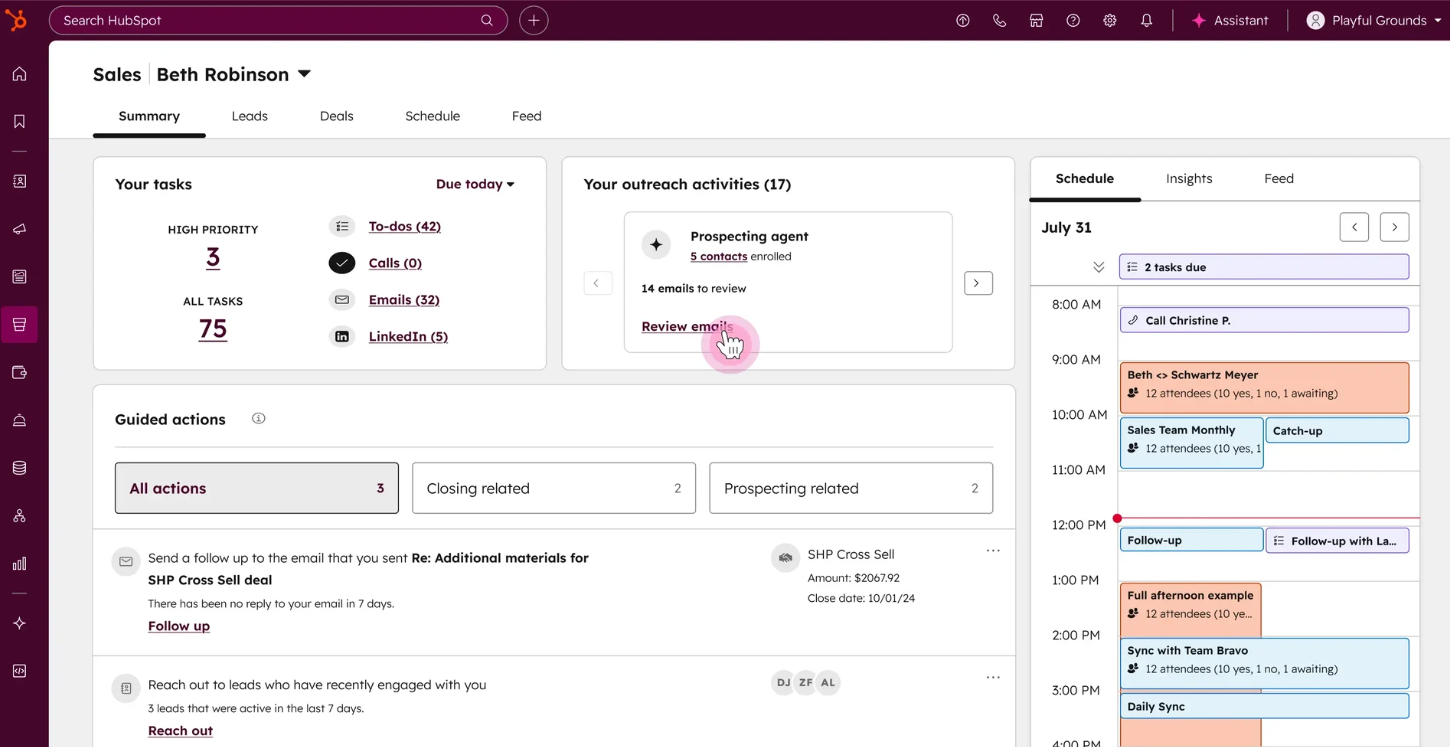
HubSpot Sales Hub is part of the broader HubSpot customer platform, providing CRM, pipeline management, and sales tools in one place. It’s known for its ease of use, scalable features, and strong alignment with marketing and service teams. HubSpot also offers a free CRM that supports unlimited users and basic contact and deal tracking.
Best For
Small to mid‑sized SaaS teams that want a unified CRM with built‑in outreach and automation.
Key Features & Capabilities
- Contact, company, and deal management in a central CRM.
- Email tracking, scheduling, and sequences to nurture leads.
- Built‑in meeting scheduler and activity tracking.
- Automation workflows and lead scoring in higher tiers.
- AI‑powered insights and forecasting tied to pipeline data
Integrations
- Integrates with Gmail and Outlook for email tracking and syncing.
- Connects with marketing, service, content, and operations tools on the HubSpot platform.
- Marketplace offers 2,000+ third‑party apps.
Pricing
- Free CRM with essential features.
- Sales Hub Starter typically begins around $15-$20/user/month.
- Professional and Enterprise tiers add advanced automation and analytics.
Note: Pricing can vary based on region, hubs bundled, and contact/seat counts.
Why It Stands Out
HubSpot’s strength is in unifying CRM with sales engagement tools. Teams can start with the free CRM and scale up without breaking workflows. It’s especially useful if you want pipeline visibility and outreach in one system without complex setup.
2. Salesforce Sales Cloud
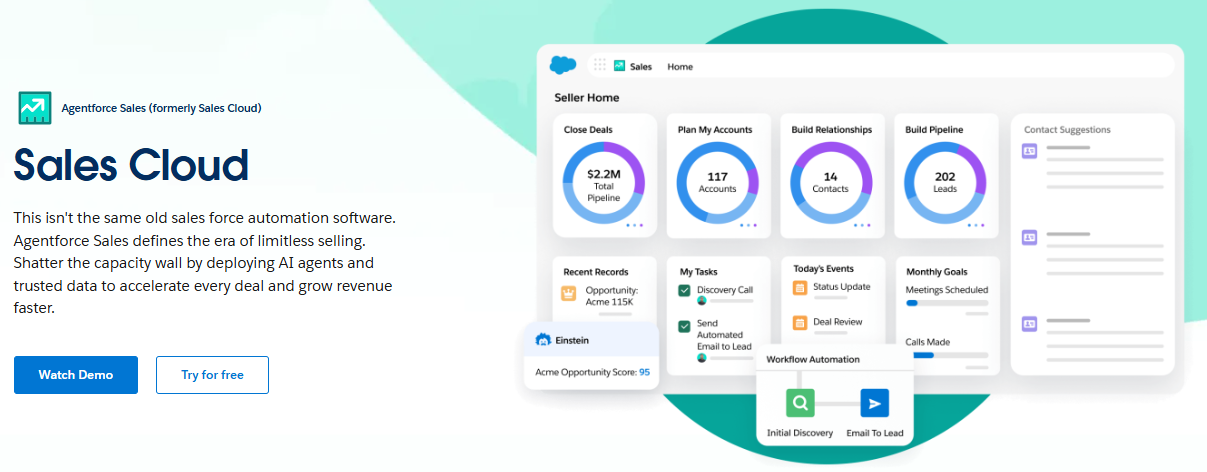
Salesforce Sales Cloud is a leading enterprise CRM platform used by thousands of B2B teams worldwide. It supports structured lead and opportunity management and offers advanced automation and forecasting tools. It thrives in complex environments where custom processes, automation, and integration depth are priorities.
Best For
Mid‑to‑enterprise sales organizations that need deep customization, automation, and scalable pipeline control.
Key Features & Capabilities
- Lead, account, contact, and opportunity management.
- Workflow automation and lead routing to streamline qualification.
- Reporting and dashboards for pipeline tracking.
- Scalability and flexibility for custom sales processes.
- Mobile CRM for managing leads on the go.
Integrations
Sales Cloud integrates with:
- AppExchange ecosystem of thousands of third‑party apps, including data and engagement tools.
- Email providers like Gmail and Outlook via native connectors.
- Marketing and analytics systems for broader revenue visibility.
Pricing
According to the official Salesforce pricing plans for Sales Cloud (now also referred to broadly as a sales solution):
- Starter Suite: approximately $25 per user/month.
- Pro Suite: around $100 per user/month.
- Enterprise: around $175 per user/month.
- Unlimited: ~$350 per user/month.
Pricing typically ranges from ~$25/user/month for entry tiers to $350+/user/month for Unlimited editions. Exact pricing varies by plan and add-ons. Salesforce also offers a 30‑day free trial for Sales Cloud editions.
Why It Stands Out
Salesforce Sales Cloud is the backbone of many enterprise sales stacks due to its scalability, depth of customization, and enterprise workflows. It enables complex lead routing, forecasting, and performance reporting across large teams and multi‑region orgs.
Once a prospect is qualified, the next step is turning that interest into a purchase. That means delivering accurate, professional quotes and proposals without unnecessary delays.
Must Read: Sales Proposal Software: 2026 Buyer’s Guide to Choose One
Stage 2: Quoting & Proposal Management
Creating accurate quotes and compelling proposals is more than paperwork. It’s a revenue inflection point.
According to industry research, outdated quoting processes cause real revenue leakage and deal loss: a survey of B2B firms found manual quoting caused an average 5 % revenue loss annually, with 88 % of companies reporting lost deals due to quoting inefficiencies.
Additionally, sales automation (which includes automated proposal and quote workflows) helps GTM teams reclaim time and boost outcomes. Organizations using automation tools report 15-20 % more selling time and stronger conversion rates compared with manual processes.
In this stage, the right tools help you generate accurate, professional quotes faster, reduce errors, and get buyers to say yes sooner.
Below are the best B2B Sales Tools for quoting and proposal management, including features, pricing, integrations, and why they stand out:
1. Proposify
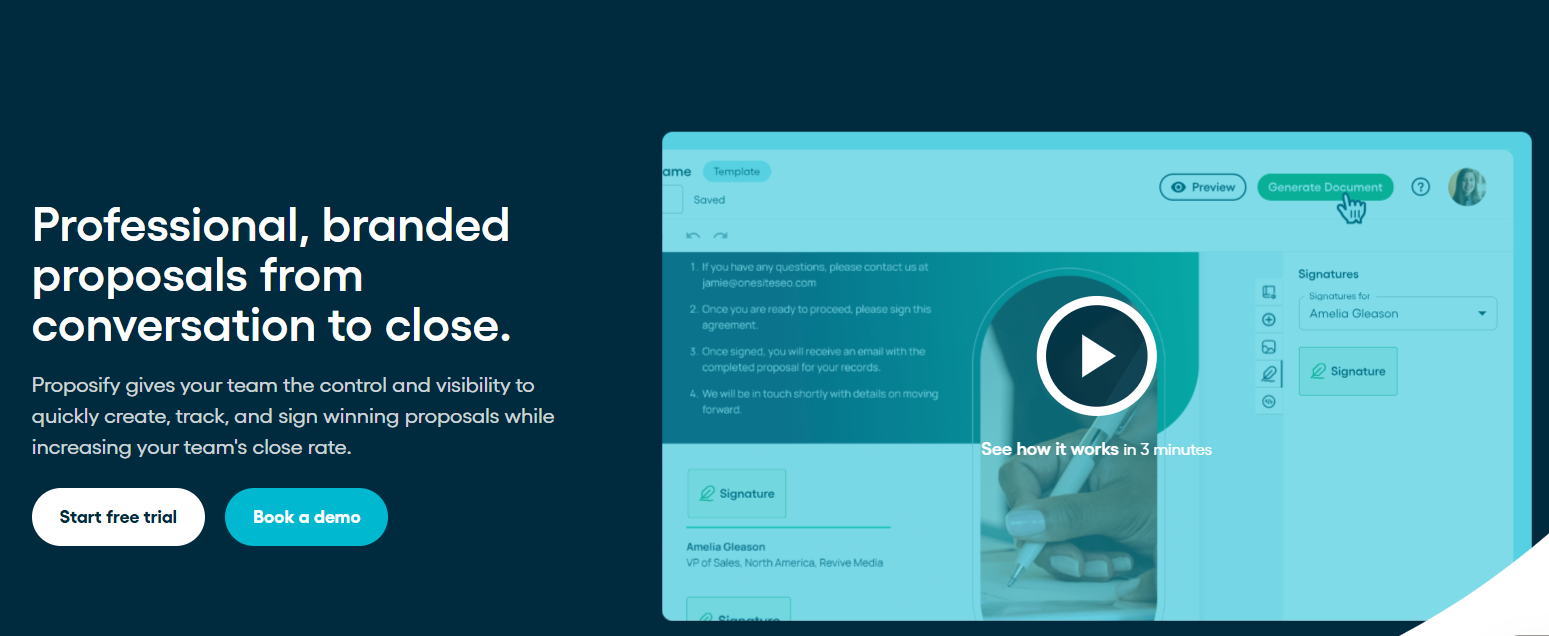
Proposify is a dedicated proposal creation and management platform designed to help sales teams build, send, and track professional proposals quickly. It focuses on streamlined proposal workflows, reusable content libraries, and engagement insights.
Best For
Small to mid‑sized sales teams looking for polished, data‑driven proposals with strong template and analytics support.
Key Features & Capabilities
- Drag‑and‑drop proposal editor for fast creation.
- Central content library with reusable templates.
- CRM integrations to pull in contact and deal data.
- Proposal engagement tracking (who viewed, what they read).
- Built‑in e‑signatures to speed closing.
Integrations
Proposify integrates with major CRM and business systems such as Salesforce, HubSpot, Zapier, and more, keeping your proposal data in sync with your sales pipeline.
Pricing
Proposify offers tiered per-user pricing, with plans designed for small teams through enterprise organizations. Pricing details are available on their website.
Why It Stands Out
Proposify excels at helping teams create on‑brand, professional proposals quickly while maintaining visibility into engagement and close momentum. Its focus on proposal design and analytics supports teams that want a powerful, sales‑centric tool without unnecessary complexity.
2. PandaDoc
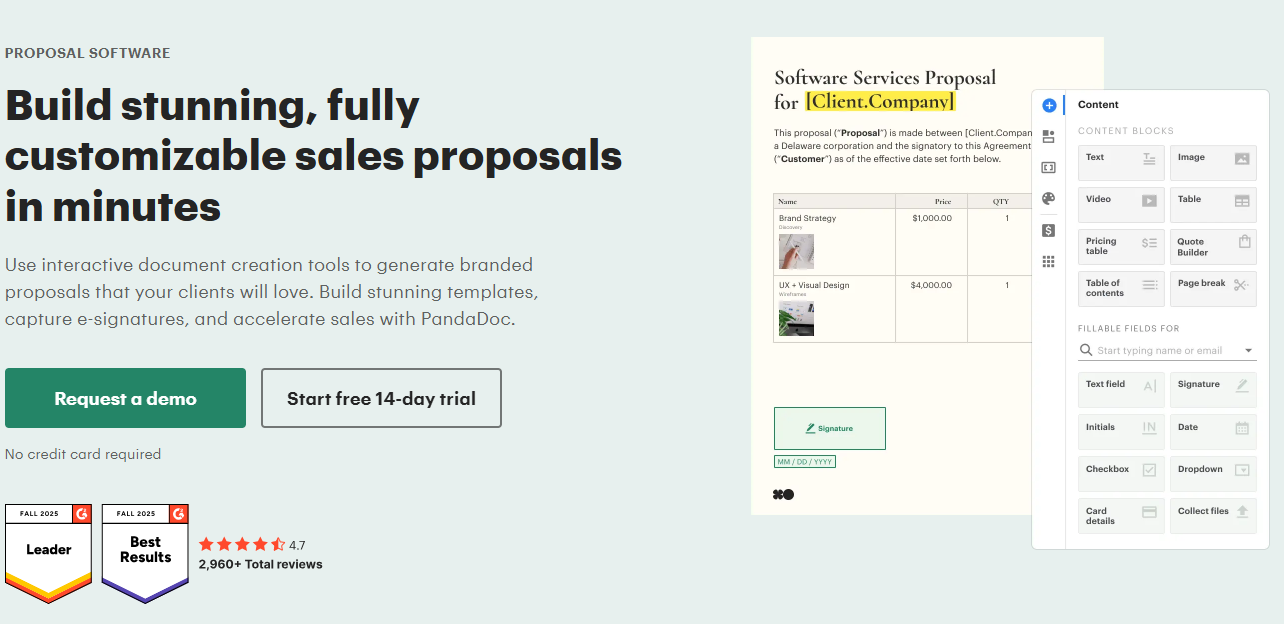
PandaDoc is a proposal and document automation platform that helps teams create, send, track, and e‑sign proposals, quotes, and contracts. It’s one of the most widely used solutions for visual sales documents, with a robust editor and deep CRM integration options.
Best For
Sales teams and revenue orgs that want an all‑in‑one document solution from proposals to contracts with strong analytics and automation.
Key Features & Capabilities
- Drag‑and‑drop builder for proposals and pricing tables.
- Large template library and reusable content blocks.
- Document tracking and analytics for engagement visibility.
- eSignature support for binding agreements.
- Embedded payments via (Stripe, PayPal).
Integrations
PandaDoc integrates with key revenue stack components including CRM systems (Salesforce, HubSpot, Pipedrive, etc.) and payment platforms, enabling automated information flows.
Pricing
PandaDoc pricing uses tiered per-user pricing, starting with entry-level eSignature plans and increasing based on automation, integrations, and advanced workflow features. Pricing varies by functionality and team size.
Why It Stands Out
PandaDoc is strong where businesses want full document lifecycle support from proposal creation to contract and payment collection. And deep CRM sync that reduces admin overhead and unifies document logic
3. GetAccept
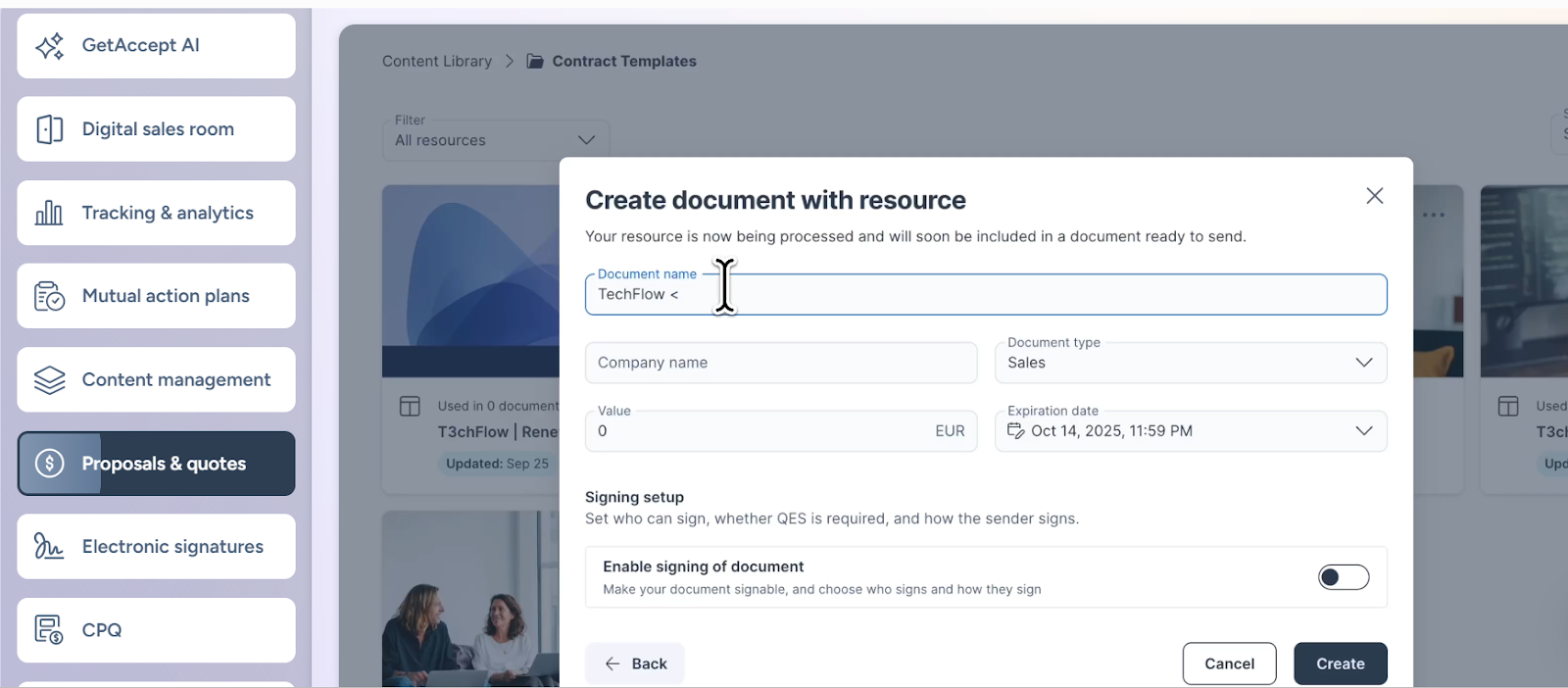
GetAccept is a Digital Sales Room and proposal platform that lets sales teams create, send, and manage proposals while tracking engagement and maximizing buyer interaction. It’s built to reduce back‑and‑forth and bring visibility and personalization into the quote‑to‑close process.
Best For
Teams that want a digital sales room experience: combining proposal creation with engagement tracking, CRM integration, and buyer collaboration features.
Key Features & Capabilities
- Proposal creation with branded templates.
- Tracking and analytics to understand prospect engagement.
- Electronic signatures and contract management.
- Digital sales room with live chat, videos, and collaborative features.
Integrations
GetAccept integrates deeply with Salesforce, HubSpot, Microsoft Dynamics, Pipedrive, and more — making it easy to sync proposal activity with your CRM and existing stack.
Pricing
GetAccept’s plans typically start from $25/user/month for core eSignature and basic proposal tools, with Professional (~$49/user/month) and Enterprise (~$79/user/month) plans offering advanced capabilities and integrations.
Why It Stands Out
GetAccept brings proposals into a buyer‑centric space: the digital sales room. This allows sellers to personalize proposals with video, enable real-time interaction, and gain visibility into buyer engagement. This creates a more collaborative and insight-driven closing experience.
Stage 3: Deal Closing & Signature
The quoting stage might feel like the finish line but closing is where revenue either lands or slips.
At this stage, the biggest threat is delay. Sending contracts for signature should be seamless, but too often it becomes a bottleneck. Sales reps wait on approvals, legal teams chase formatting fixes, and deals sit idle in inboxes.
And the impact isn’t small. A Forrester study found that switching from manual to automated agreement workflows reduced contract processing time by nearly 90% — enabling faster revenue capture, fewer errors, and greater efficiency across teams.
That’s why this stage demands more than just an eSignature tool. It needs platforms that support clean approvals, secure execution, and zero-lag handoffs between sales, legal, and finance.
In this section, we’ll explore the best B2B Sales Tools that help you close faster with speed, control, and buyer experience built in.
1. DocuSign

DocuSign is one of the most widely adopted eSignature platforms globally. It enables secure electronic signing for agreements and contracts, with audit trails and legal enforceability in most jurisdictions. It integrates with core sales, CRM, and workflow systems to help teams close deals faster.
Official source notes DocuSign’s eSignature solution supports legally binding electronic signatures and integrates broadly with sales and enterprise workflows.
Best For
Teams of all sizes that need secure, legally enforceable electronic signatures with advanced routing and workflows.
Key Features & Capabilities
- Upload and prepare documents (Word, PDF, etc.) and send for signing.
- Legally binding eSignatures with audit trails and compliance.
- Advanced fields and validation with templates.
- Multi‑party signing with custom signer order.
- Automated reminders and real‑time status tracking.
- Integration support via APIs and pre‑built connectors.
Integrations
DocuSign integrates with major systems like Salesforce, Microsoft 365, and Google Workspace — ensuring sales agreements sync with your CRM and document workflows.
Pricing
DocuSign offers tiered plans: starting around $10-$25 per user per month for core functionality, scaling up for business‑grade features.
Why It Stands Out
DocuSign is widely recognized for its legal enforceability, global compliance, and enterprise readiness, along with flexible signing workflows and strong support for complex deals.
2. Dropbox Sign (formerly HelloSign)
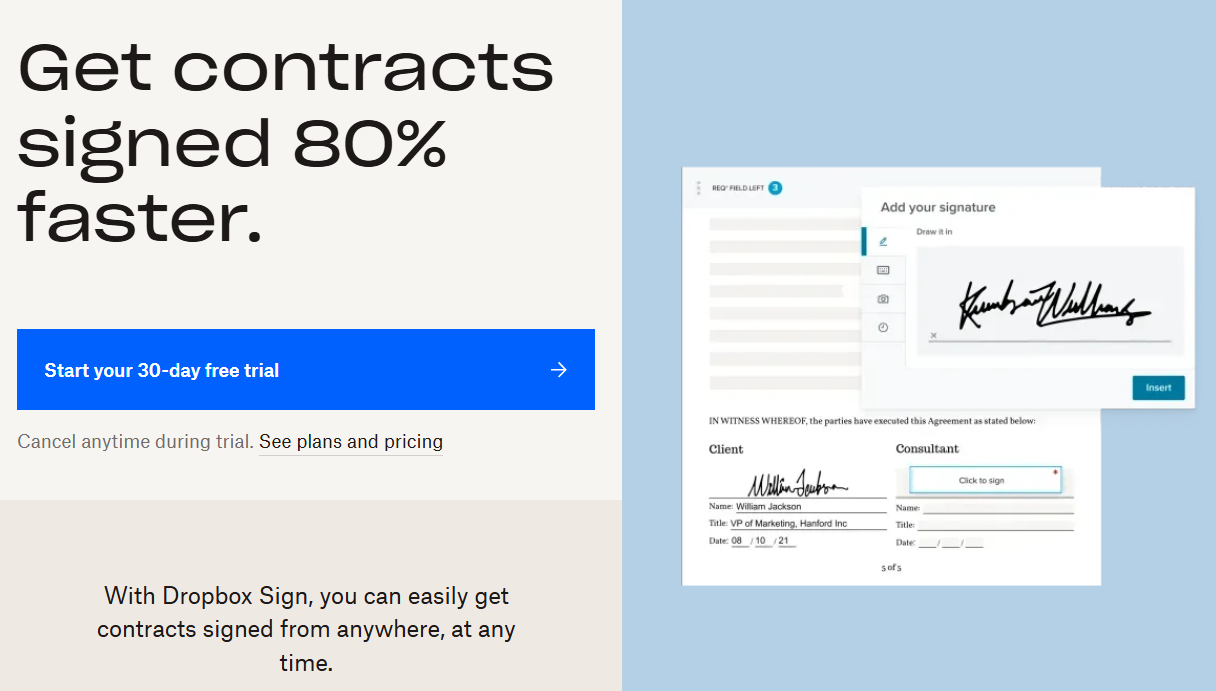
Dropbox Sign provides an easy way to send, receive, and manage electronic signatures online; designed for teams that want a straightforward signature workflow without unnecessary complexity.
Best For
Small to mid‑sized teams that want a simple, effective eSignature workflow with minimal setup.
Key Features & Capabilities
- Sign and track documents digitally with audit trails.
- Set up document templates for repeat agreements.
- Create and send contracts for signature in minutes.
- Legally binding eSignatures protected by encryption and compliance standards.
Integrations
Dropbox Sign integrates with popular work tools like Dropbox storage, Google Drive, Microsoft Word/Outlook (via add‑ons), and more, and supports API‑based connections for custom workflows.
Pricing
Pricing starts at $11.99/personal/month (Essentials); higher tiers offer more templates, bulk sending, and team features
Why It Stands Out
Its simplicity, quick deployment, and Dropbox-native integration make it ideal for lean teams needing signature speed without complex implementation.
SaaS teams often celebrate a closed deal too early. But quoting is just half the battle. The real friction starts when revenue gets delayed or lost in billing and collections.
Must Read: 5 Subscription Billing Software Platforms That Go Beyond Invoicing
Stage 4: Billing, Payments & Collections
22.2% of fast-growing SaaS companies lose over 10% of their ARR due to late payments, defaults, or failed billing processes.
As your pricing, geographies, and contract volumes grow, so does billing complexity and the risk of revenue leakage.
That’s why this stage demands more than just invoices. You need flexible billing engines, automated retries, compliance controls, and seamless integration with your CRM and finance stack.
Here are the best B2B Sales Tools for automating billing and securing every dollar your team closes.
1. Stripe Billing
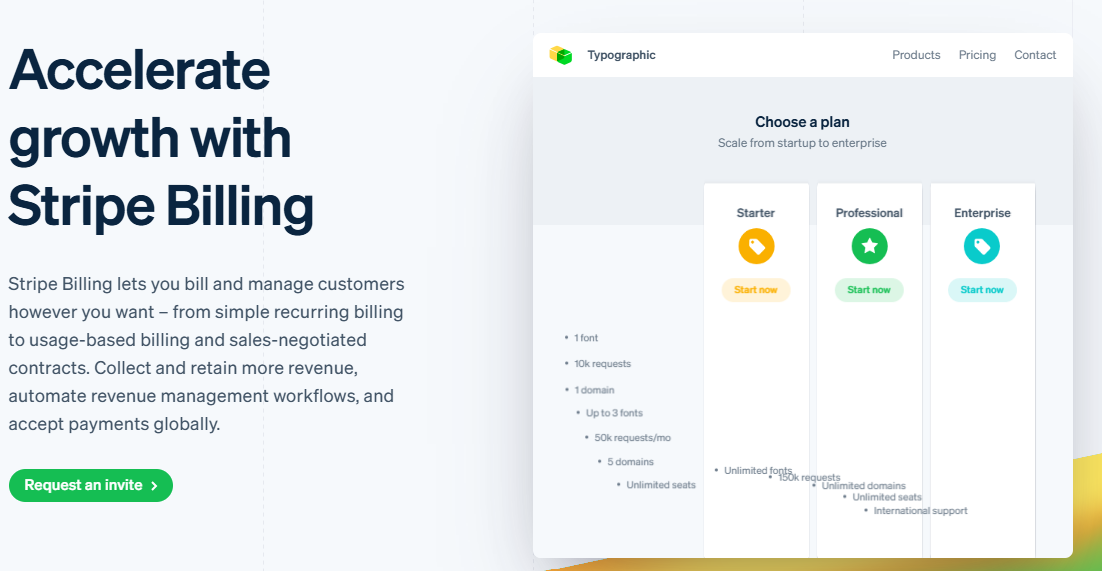
Stripe Billing lets you create and manage subscriptions, automate recurring invoices, accept payments globally, and reduce churn from failed payments. Built natively within the Stripe platformIt supports flexible pricing models, usage‑based billing, and recovery workflows that help teams collect more of their contracted revenue without manual intervention.
Best For
SaaS and subscription businesses of all sizes that want an all‑in‑one recurring billing, global payments, and revenue recovery platform backed by strong automation and developer flexibility.
Key Features & Capabilities
Billing (Invoicing & Subscriptions)
- Manage recurring billing and subscription lifecycles, including trials, renewals, cancellations, and updates.
- Support for multiple pricing models: flat rate, usage‑based, tiered, hybrid, and more.
- Automatic invoice creation and proration when plans change.
- Customer self‑service portal for subscription management.
Payments
- Built‑in global payment acceptance with support for 100+ global payment methods and 135+ currencies.
- Payment processing via cards, wallets, bank debits/transfers, and local methods — all managed inside Billing.
- PCI DSS compliance and fraud protection tools from Stripe.
Collections & Revenue Recovery
- Automated smart retries for failed payments using machine learning to optimise recovery timing.
- Automatic payment method updating (card updater) for expired/replaced cards.
- Hosted recovery page and reminder emails to reduce involuntary churn.
- Revenue recovery analytics to track failed payments and recovery performance.
Reporting & Finance Automation
- Billing analytics, revenue reporting, and integration with reporting tools.
- Automated reconciliation and connector support for accounting systems like NetSuite.
- Tax automation and compliance filters.
Integrations
Stripe Billing is built to integrate with a variety of systems to streamline revenue ops:
- CRM & SaaS tools (e.g., HubSpot, Salesforce via APIs/Connectors).
- ERP & accounting systems like NetSuite and Xero.
- Stripe ecosystem tools (Radar fraud prevention, Sigma analytics, Connect payouts).
This ecosystem ensures billing, payments, and finance reporting all use a single revenue source of truth, reducing errors and reconciliation overhead.
Pricing
Stripe Billing uses transparent, usage-based pricing that builds on Stripe’s standard payment processing fees.
You pay per successful transaction (e.g., standard card fees such as ~2.9% + $0.30 in the US) plus an additional percentage on recurring billing volume. Advanced features like smart retries and recovery tools are included to help mitigate involuntary churn.
Pricing varies by region, volume, and payment method, and custom enterprise plans are available through Stripe sales.
(Stripe’s official pricing page shows usage and subscription billing fees without hidden tiers.)
Why It Stands Out
Stripe Billing lets you create and manage subscriptions, automate recurring invoices, accept payments globally, and reduce involuntary churn with smart retries and recovery workflows. It supports flexible pricing models such as flat, usage-based, and hybrid billing, and automates aspects of collections and payment retries to help teams collect more of their contracted revenue without manual intervention. Stripe Billing is part of the broader Stripe payments ecosystem, connected through extensible APIs and tools that support global payment acceptance, analytics, and automation.
2. Chargebee
Chargebee is a subscription billing and revenue management platform that helps businesses automate recurring billing, manage subscriptions, and accept payments through multiple methods. It reduces manual work and supports complex scenarios like proration, usage‑based billing, and global compliance.
Best For
Mid‑market and enterprise SaaS companies needing a complete subscription lifecycle platform that automates billing, payments, invoicing, and revenue operations in one system.
Key Features & Capabilities
Billing (Invoicing & Subscriptions)
- Automate recurring billing, automated invoicing, and renewal management.
- Manage subscription lifecycles — create, pause, cancel, reactivate, and extend subscriptions.
- Handle pricing changes, proration, discounts, coupons, and tax computation.
- Central product catalog to launch pricing plans quickly.
Payments
- Accept recurring payments via credit cards, debit cards, and digital wallets (e.g., Google Pay, Apple Pay).
- Integrate with 30+ payment gateways and support 100+ currencies.
- Automated retries and payment reminders to recover failed payments (via built‑in billing rules).
Collections & Revenue Recovery
- Automated reminders and notifications reduce late or missed payments (e.g., email alerts).
- Support for refunds, credits, and adjustments to manage collection nuances.
(Note: Today’s documentation shows automated workflows tied into billing and notifications that drive collections behavior based on payment status.)
Finance Ops & Compliance
- Built‑in analytics and dashboards for subscription revenue health and churn metrics.
- Automated tax calculation and compliance support for global bills.
- GAAP‑friendly revenue recognition and reporting tools
Integrations
Chargebee integrates with key systems to extend revenue operations:
- CRM & Sales: Salesforce, HubSpot, and others via Connect and APIs (documentation confirms broad integration support across CRM and revenue systems).
- Accounting/ERP: NetSuite, QuickBooks, and Xero (native or connector‑based).
- Payment Processors: Works with 30+ gateways like Stripe, PayPal, Braintree, etc.
- Analytics & BI: Exportable data and API support for BI systems (implicit in unified revenue management strategy).
Pricing
Chargebee offers tiered plans depending on subscription volume and feature requirements.
Official pricing details are available through their site and sales team; typically structured as usage‑based + plan levels.
Why It Stands Out
Chargebee provides a comprehensive subscription billing and revenue operations platform that automates recurring billing, subscription management, payment acceptance, and revenue recovery workflows. Its support for flexible billing logic, payment method diversity, automated retries and dunning, tax-aware invoicing, and analytics make it a strong choice for SaaS businesses scaling recurring revenue across regions.
3. Recurly
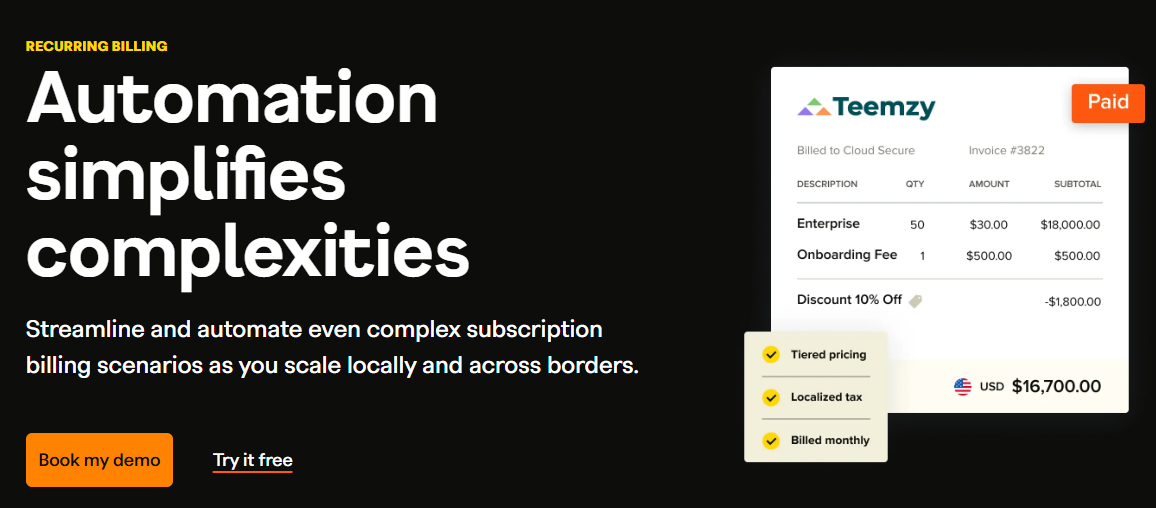
Recurly is a subscription management and recurring billing platform built to handle complex subscription lifecycles, automate invoices, support flexible pricing, and manage global payments — all while helping companies grow recurring revenue more efficiently.
Best For
Subscription businesses of all scales (SaaS, media, eCommerce) that need a comprehensive subscription management, recurring billing, and payment orchestration platform to automate revenue operations and reduce churn.
Key Features & Capabilities
Billing (Invoicing, Plans & Pricing)
- Automate subscription billing, invoicing, and renewals to reduce manual workload.
- Can generate, track, and customize invoices with detailed billing data.
- Support for fixed, ramp, usage‑based, quantity‑based, one‑time, and hybrid billing models.
- Manage upgrades, downgrades, pauses, cancellations, and expirations with full subscriber visibility.
Payments (Acceptance & Orchestration)
- Broad payment method support (credit cards, wallets, etc.) and orchestration.
- Connect with multiple payment gateways and processors, giving flexibility in payment acceptance.
- Recurly supports hosted secure checkout, APIs, and webhooks.
Collections & Retention
- Built‑in mechanisms to address subscription churn, including automated recovery logic for at‑risk payments and retry logic.
Finance Ops & Reporting
- Dashboards and analytics for subscription health
- Support for compliance and tax logic
Integrations
Recurly supports a broad set of integration methods, making it possible to connect billing and payment data with your wider stack:
- REST APIs, Webhooks, and Hosted Pages for custom workflows and automation.
- CRM, ERP, accounting, and analytics systems via APIs and partner connectors for seamless data flow.
Pricing
Recurly offers tiered plans and volume-based rather than a flat per-user subscription:
- Plans are based on total payment volume (TPV) and contract terms.
- Pricing details are available by contacting Recurly or through setup workflows.
Why It Stands Out
Recurly combines subscription management, recurring billing, payment orchestration, and churn mitigation in one platform. Its flexibility in pricing models, broad global payment options, and integrated subscription lifecycle tools make it especially strong for companies scaling complex recurring revenue businesses.
Once a deal is closed and billing begins, the real work of retaining and growing that revenue starts.
Stage 5: Renewal, Expansion & Upsell
Most stacks aren’t built to support post-sale growth. CRMs track pipeline. Billing systems invoice. Neither helps manage renewals, monitor usage, or trigger upsells.
That’s a problem. Research shows 30%–40% of SaaS growth comes from existing customers but churn often happens silently, without warning.
To retain and expand revenue, you need tools that surface risk, automate renewal actions, and reveal upsell signals.
Here are the top B2B Sales Tools for this stage — built to protect and grow your customer base:
1. Gainsight
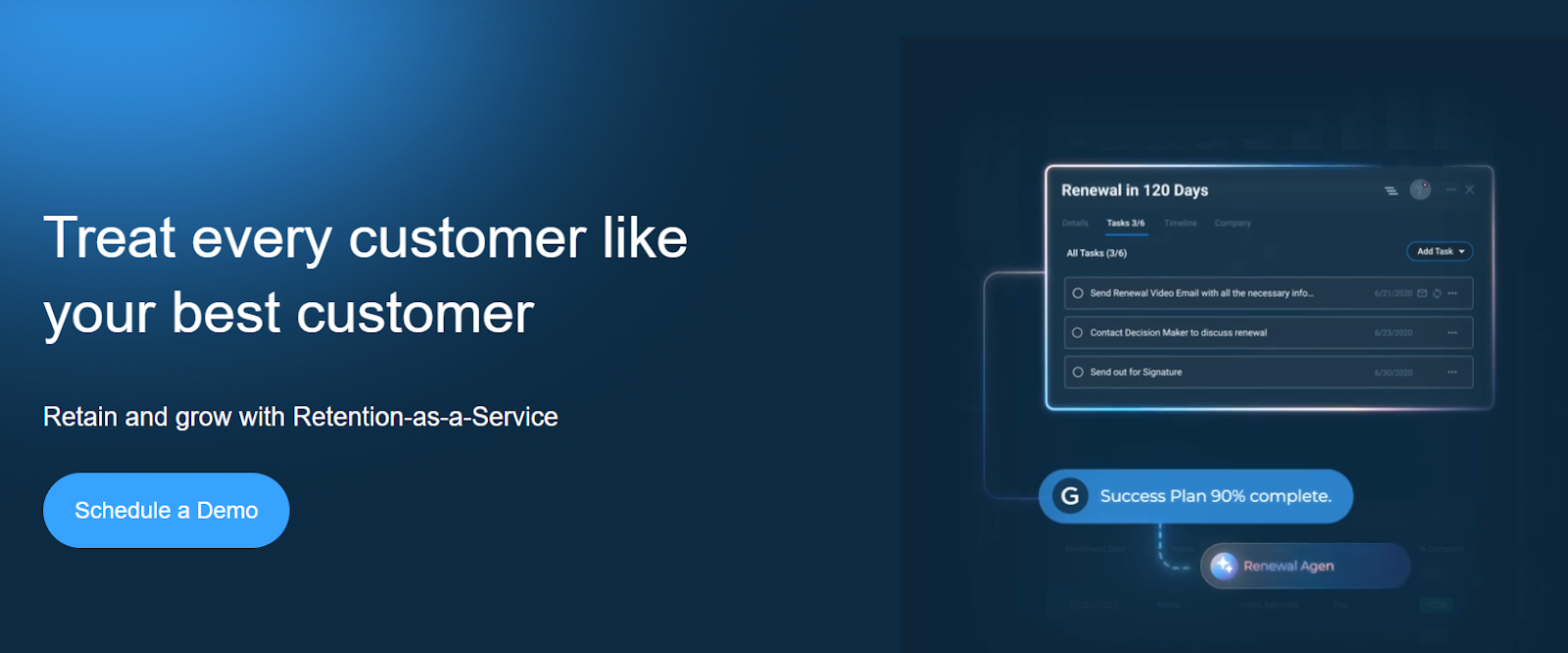
Gainsight is a leading customer success platform that helps revenue, success, and operations teams manage customer health, reduce churn, and identify expansion opportunities post-sale. It centralizes customer signals, success workflows, and automation, giving teams visibility into risk and value realization across the customer lifecycle. Features like journey orchestration, health scoring, and automated playbooks help teams act proactively rather than reactively. Gainsight supports integrations with CRM, support, and other data systems and typically offers custom pricing tailored to enterprise needs.
Best For
Mid‑market to enterprise SaaS businesses that want a complete post‑sale revenue growth engine — with health scoring, churn risk signals, and expansion workflows.
Key Features & Capabilities
- Single source of customer data including usage, sentiment, and touchpoints for deep insight.
- AI‑powered signals help teams spot risk early and act before churn hits.
- Guided playbooks and journey orchestration that automate renewal outreach and surface upsell chances.
- Structured plans tied to customer goals that help CSMs standardize engagement milestones.
- Track in‑product behaviors to drive value realization and upsell opportunities.
Integrations
Gainsight ingests data from CRM, support, product, and billing systems to create a unified customer‑health profile and workflows (native and API‑based integrations).
Note: The official site doesn’t publish a full “integration list”.
Pricing
Gainsight does not list standard public pricing on its own website. Pricing is quote-based and tailored to needs, with tiers such as Essentials and Enterprise that require contacting the vendor for exact costs.
Why It Stands Out
Gainsight is one of the most established enterprise customer success platforms, known for predictive insights, deep automation, health scoring, and journey orchestration that support revenue retention and expansion at scale.
2. Totango
Totango is a modern customer success platform designed for agile revenue teams. It offers out-of-the-box success modules (SuccessBLOCs) that allow teams to deploy fast, adapt quickly, and orchestrate renewal and expansion workflows without heavy implementation. Totango emphasizes time-to-value, making it ideal for teams wanting a nimble yet powerful post-sale stack.
Best For
Totango is a modern customer success platform designed to help teams retain and grow customer revenue through proactive engagement, health scoring, and automation — making it a strong fit for mid-market and enterprise teams focused on customer retention, churn reduction, and expansion.
Key Features & Capabilities
- Multidimensional health scores and insight to track adoption, engagement, and risk — helping teams prioritize renewal and expansion actions.
- Custom playbooks and campaigns for onboarding, renewal reminders, and upsell triggers.
- Pulls together CRM, support, and product usage data for a complete view of account health.
- AI‑driven customer intelligence helps forecast churn and uncovers expansion opportunities earlier.
Integrations
Totango integrates with CRM, support, communication, and analytics tools (e.g., Salesforce, HubSpot, Zendesk, Slack) to give a comprehensive view of customers across systems.
Pricing
Totango does not publicly list standard pricing on its website. Pricing is typically custom based on platform configuration and scale, and interested buyers are encouraged to contact sales for exact details.
Why It Stands Out
Totango positions itself as a platform that helps teams build proactive, data-driven customer success programs while accelerating time-to-value through prebuilt frameworks and AI-enhanced signals. Its focus on unified health scoring and automation makes it suitable for CS teams looking to drive retention and expansion at scale.
You’ve Mapped Your B2B Sales Tools — But Is That Enough?
You now know what tools support each sales stage. But here’s the tougher question:
Does tool clarity automatically mean faster closes, smoother ops, and cash upfront?
Not necessarily.
Tools alone don’t fix system-wide disconnection. You may still be wrestling with:
- Fragmented data between quoting, billing, and payments
- Sales tools that don’t sync with finance workflows
- No unified view of deal terms, status, or revenue timing
Here’s how that plays out:
A rep sends a proposal with 60‑day payment terms. Once signed, they message billing. Finance tries to apply the terms in the billing system — but the integration only covers basic data, so manual adjustments are needed. They create or adjust invoices in the payment platform. Then the buyer asks for milestone payments. Legal revises the contract. Someone updates the CRM manually.
By the time everyone is aligned internally, you’ve lost days of momentum, buried cash timing in coordination, and introduced risk of errors.
That’s not just a feature gap. It’s a system breakdown — and it costs your team time, cash flow, and margin.
Must Read: How to Increase Working Capital in SaaS
Ratio Boost: A Smarter Way to Replace Fragmented Sales Tools
Let’s break down exactly what Ratio Boost covers, and where (if anywhere) you still need extra tools.
To make it simple, here’s a clear stage-by-stage breakdown of:
- What Ratio covers
- Where optional tools might still help
- Where Ratio doesn’t operate (yet)
| Sales Stage | Covered by Ratio? | Still Need Other Tools? | Details (With Closing Motion) |
|---|---|---|---|
| 🔎 Stage 1: Prospecting & Lead Qualification | ❌ No | ✅ Yes | You still need CRM and outbound tools to generate and qualify a lead gen pipeline. Ratio activates when a buyer is ready to evaluate terms. |
| 📄 Stage 2: Quoting & Proposal Management | ✅ Yes | ⚠️ Optional | This is where Closing Motion begins. Ratio embeds financing directly into the quote so pricing, payment structure, and cash timing are aligned before signature. No separate spreadsheets. No downstream surprises. |
| ✍️ Stage 3: Deal Closing & Signature | ✅ Mostly | ⚠️ Optional | Signature is not the finish line: cash is. Ratio connects signature to financing approval and payout in one motion. Legal workflows may still live elsewhere, but cash certainty is embedded into the close. |
| 💳 Stage 4: Billing, Payments & Collections | ✅ Fully | ⚠️ Optional | Ratio ensures the seller receives upfront payment once the buyer commits; even if the buyer pays over time. Repayment, tracking, and credit risk live inside the same motion, removing fragmented AR handoffs. |
| 🔁 Stage 5: Renewal, Expansion & Upsell | ✅ Fully | ❌ No | Closing Motion extends into renewals by keeping payment structure, financing logic, and risk visibility connected. But broader CS and expansion workflows typically require dedicated systems. Ratio protects cash continuity, it does not replace a full customer success stack. |
You’ve seen where Ratio fits across the revenue journey but stage labels alone don’t tell the full story.
To understand what Ratio Boost truly delivers, you have to look at what happens in the gap between signature and cash.
Ratio isn’t just a quoting tool or a billing add-on. It’s the Closing Motion layer; the system that connects proposal, pricing, payment structure, underwriting, and cash activation into one coordinated flow. And that’s the infrastructure Sales and Finance both need to move from “closed-won” to “cash received” without friction.
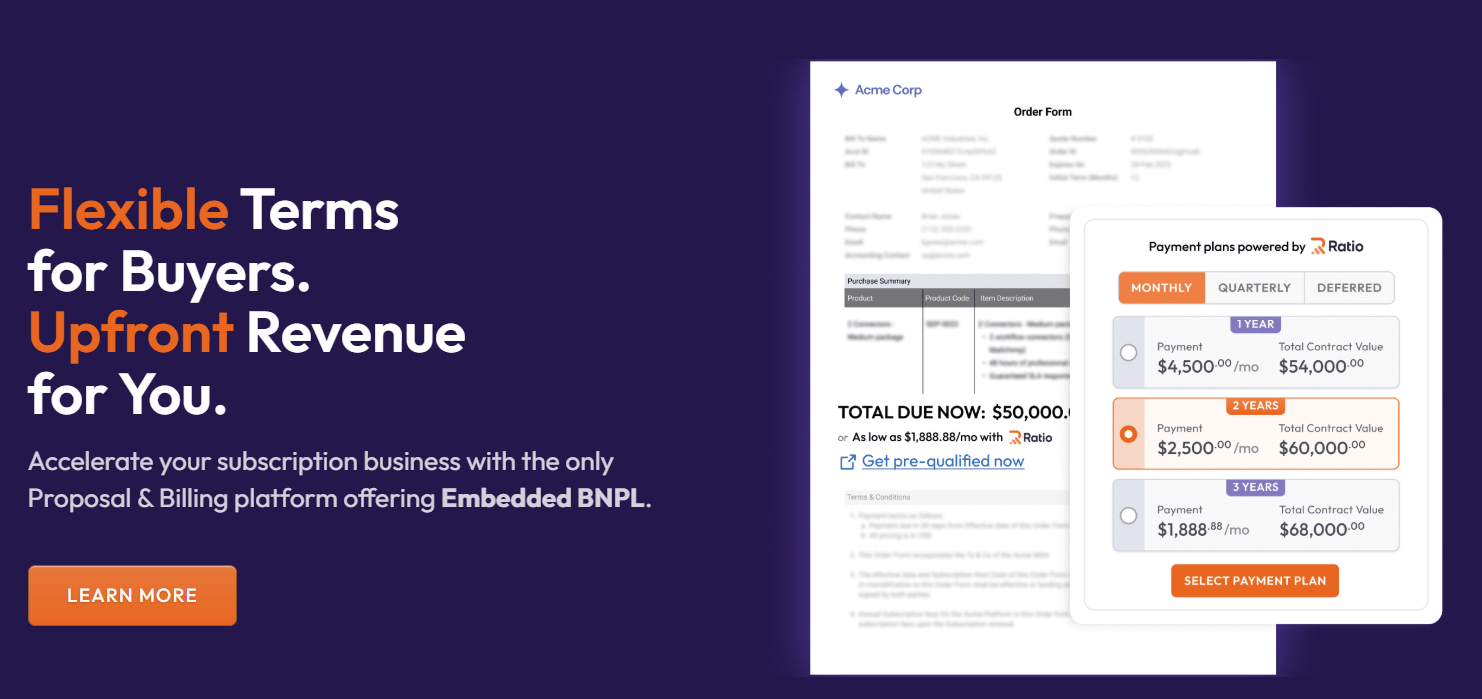
What All Ratio Boost Combines in One Platform
Most SaaS teams don’t design fragmented revenue systems on purpose. They evolve that way.
- Quoting lives on one platform.
- E-signatures in another.
- Billing downstream.
- Collections handled manually or through a separate AR tool.
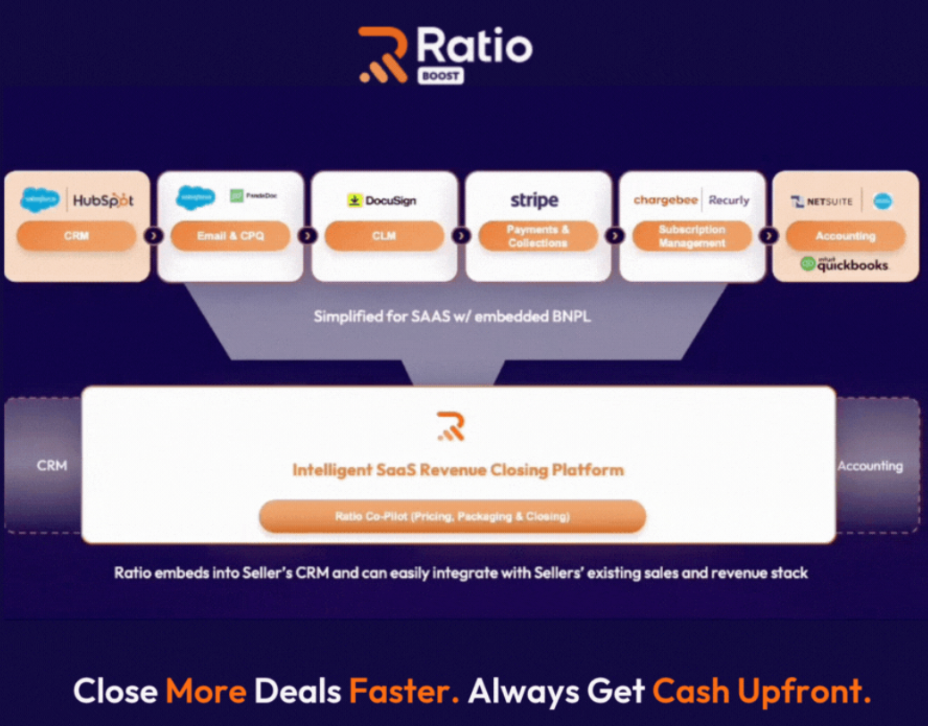
Each system works independently. But none of them govern the most important moment in the revenue lifecycle: the transition from buyer commitment to cash.
At low volume, the gaps are manageable. As you scale, they compound.
- Missed handoffs.
- Delayed payments.
- Negotiated terms that never fully sync across systems.
- Sales and Finance working from different versions of the deal.
That’s where closing breaks.
Ratio Boost reduces that stack fragmentation by unifying the core components of the close into a single coordinated flow. Instead of stitching together tools after the fact, it embeds structure, underwriting, and cash activation directly into the deal itself.
Here’s what that looks like in practice:
Upfront Cash on Flexible Terms
When a buyer selects their preferred payment structure at the point of sale, Ratio ensures the seller receives the full contract value upfront — even if the buyer chooses to pay over time.
This means you don’t have to delay cash collection until the buyer’s payments arrive, helping protect your working capital and shorten the cash conversion cycle.
Automated Billing & Collections
Once the buyer completes payment setup, Ratio handles the downstream billing, invoicing, and collections according to the chosen payment plan — without requiring your team to swap systems or manage manual follow-ups.
This takes routine operational burden off your finance team and keeps revenue execution aligned with the closing motion.
Integrated Terms Without System Switches
Ratio’s embedded workflow fits into your existing stack (whether that lives in CRM or checkout) so sales reps don’t need to change tools to offer alternative payment plans.
That seamless experience for both buyers and sellers reduces internal handoffs and keeps deals moving without unnecessary friction.
Bonus: What Only Ratio Boost Does (That Others Don’t)
Automated Payment Structuring in the Sales Flow
Ratio embeds flexible payment options right into your quote or checkout experience so buyers can choose payment terms without delaying the deal, and sellers collect full contract value upfront.
This reduces negotiation friction and speeds up cycle times.
Built-In Sales + Finance Alignment
Quote customization, flexible billing, payment status, and AR updates — all happen in one place. No handoffs. No sync delays.
Everyone sees the same real-time data.
Unified Buyer Experience
Buyers see everything in one place:
- Quote
- Payment options
- Legal terms
- Signature
This leads to faster close, fewer objections, and a cleaner brand experience.
Best For: Who Should Use Ratio Boost?
Ratio Boost is a strong fit for:
- Mid-market B2B SaaS teams (20-200 reps)
- RevOps and Sales teams tired of tool overload
- Finance teams who want fewer handoffs and faster cash
- Companies offering custom contracts, milestone terms, or buyer-friendly plans
- Startups scaling toward complex pricing without adding AR headcount
In short: If your sales process involves quoting, payment terms negotiation, billing and collections across disconnected tools (and you’d rather turn deals into upfront cash with minimal friction) Ratio Boost is built for that scenario.
Customer Success Story
Bootstrapped healthcare SaaS provider DearDoc was growing fast. But annual prepay requirements slowed down sales and limited flexibility for SMB buyers. They needed a way to offer monthly terms without delaying cash flow.
After adopting Ratio Boost, DearDoc:
- 2-3× projected ARR growth
- 25% increase in average selling price
- 20-30% boost in close rate
- Reduced sales cycles
They replaced tools like PandaDoc, Stripe, and DocuSign with a single checkout experience. The result? A faster, smarter, and more flexible sales process that unlocks growth without losing control.
Listen to what the Founder has to say:
Try Ratio Boost for Yourself
You’ve seen how the tools stack up. You’ve seen the friction that fragmentation creates in quotes, terms, billing, and collections.
Now ask yourself:
What happens when the moment of close becomes the moment of cash?
If your goal is faster closing, smoother revenue execution, and stronger alignment between Sales and Finance, Ratio Boost isn’t just another tool; it’s the closing layer your revenue engine has been missing.
It doesn’t just automate software tasks. It replaces sales friction with a unified path from deal commitment to cash certainty.
Ready to see it in action?
Book a Demo / Try Ratio Boost Today
Frequently Asked Questions about B2B Sales Tools
1. How Do I Choose the Right B2B Sales Tools for My Business?
Start by identifying the key stages in your sales lifecycle and where bottlenecks exist. Then, choose tools that:
- Integrate well with your current systems
- Support automation and data visibility
- Match your pricing, sales, and renewal model
- Scale with your team and workflow complexity
2. Is a CRM Enough for Managing the Full Sales Cycle?
No. A CRM like Salesforce or HubSpot is critical for managing leads and contacts—but you still need tools for quoting, payments, collections, and renewals. These stages require additional capabilities beyond what most CRMs provide.
3. Can One Platform Replace Multiple B2B Sales Tools?
Yes. Ratio Boost replaces multiple tools by combining quoting, e-signature, billing, collections, and even buyer financing into one platform. For SaaS teams, this reduces complexity and speeds up the entire sales cycle.
4. When Should I Consider Replacing My Current Stack With Something Like Ratio?
If you're seeing:
- Workflow gaps between sales and finance
- Delays in quoting, billing, or collecting payments
- Too many disconnected tools with rising costs
...then it’s time to consider a unified platform like Ratio Boost.
5. Does Ratio Boost Work Alongside Existing CRMs and Finance Tools?
Yes. Ratio Boost integrates with major CRMs like Salesforce and HubSpot, as well as accounting systems like QuickBooks or NetSuite—so you can streamline your sales ops without replacing your full stack.
↗
The Closing Motion Platform
Sellers on Ratio see up to 30% higher close rates and 25% higher ACV.


